Insight Studio
Decision-ready Looker Studio dashboards, scheduled alerts to your preferred platform, and an included workflow automation tailored to your use case.
Insights Studio sets up the reporting your team uses every day. You get a clear, branded Looker Studio report, scheduled anomaly alerts delivered to the tools you already use, and one workflow automation that removes a small recurring task. The aim is straightforward: keep the right people informed about key metrics and make it easy to take action when something changes.
Looker Studio Dashboards
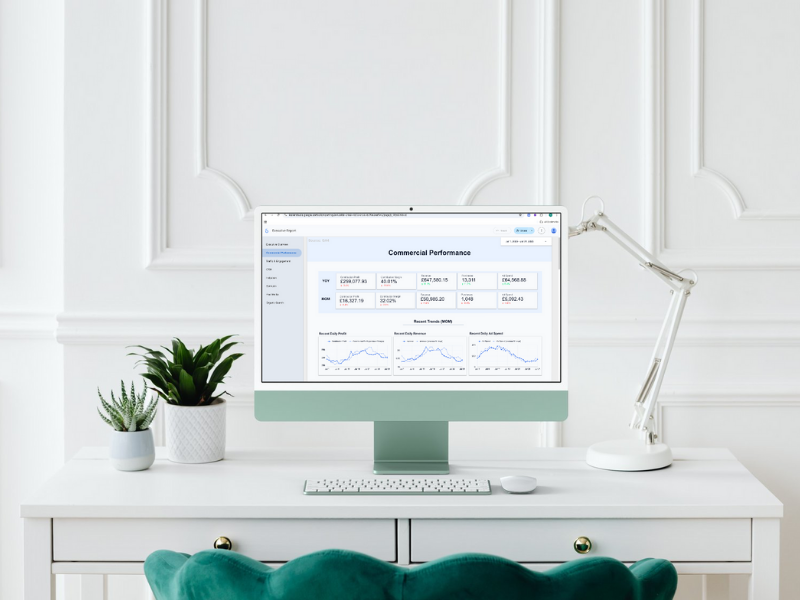
A branded report with the pages your teams need: Executive, Commercial (revenue vs spend), Paid Media, SEO/Organic, and Traffic & Engagement.
Standard KPIs include Revenue, MER, AOV, CAC/ROAS, CTR, CPC, CPA, plus funnel rates from view → cart → checkout → purchase. Filters for date, channel and market are built in.
Scheduled Alerts & Notifications
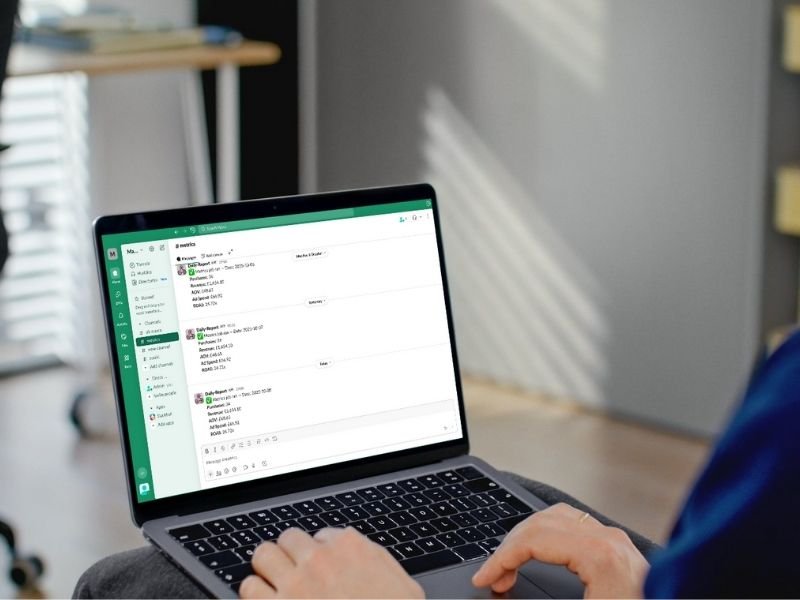
Daily or weekly anomaly checks on the signals that matter (choose 3–5 to start). Common picks: ROAS, ad spend, revenue, add-to-cart rate, checkout rate, CPA/CTR, sessions. Each alert includes a seven-day baseline and a deep link back to the relevant dashboard view.
Delivery options include: Slack, Microsoft Teams, Google Chat, or Email.
Optional tasks: Create follow-up items in Asana, Jira or ClickUp.
Included workflow automation
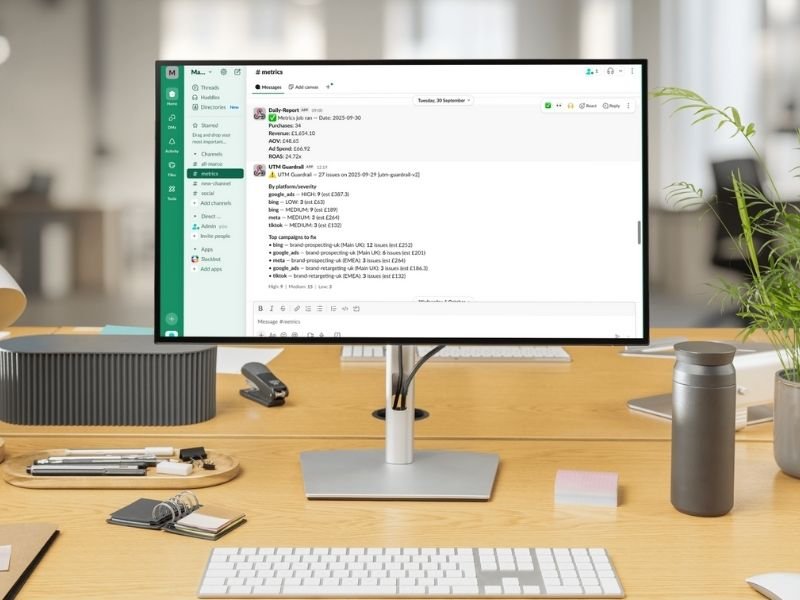
Alongside dashboards and alerts, you choose one workflow automation to ship with the install. Options include:
- Low-Stock Risk Pings — flag SKUs with ads running and low days-of-cover or OOS.
- 404 → Redirect Map — weekly list of new 404s with suggested destinations.
- UTM Guardrail — daily scan for missing or incorrect UTMs in active ads.
We’ll help you pick the best fit during discovery. You can swap later if priorities change.
How It Works
- Discovery (45 minutes) — KPIs, access, alert rules, preferred delivery channels (Slack/Teams/Email) and task system (Asana/Jira/ClickUp).
- Implementation (Days 1–7) — Report configured; alerts tested to your chosen channels.
- Handover & iteration (Days 8–14) — Your chosen workflow automation delivered; short Loom walkthrough; next steps agreed.
Integrations & delivery options
Delivery can be set to your preferred channels and systems. We can also keep an audit in Sheets, Airtable or BigQuery.
- Chat & inbox: Slack, Microsoft Teams, Google Chat, Email
- Tasks: Asana, Jira, ClickUp, Trello, Monday.com
- Helpdesk: Gorgias, Zendesk, Freshdesk, Help Scout
- Data sinks: Google Sheets, Airtable, BigQuery
If your preferred platform is not listed, please email us at hello@altomate.co.uk.
Pricing
Clear monthly plans with a one-off setup. Choose the level that matches your cadence and scope.
Core
Executive & performance
- Executive & Performance Dashboards
- 3 alert rules
- 1 workflow automation
- Weekly Loom
- 48-hour response
Growth
Al +
- Executive & Performance Dashboards
- 5 alert rules
- 2 workflow automations
- weekly Loom
- 24-hour response
Pro
Take support to the next level.
- Executive & performance dashboards
- 8 alert rules
- 3 automations
- Market splits
- Executive performance stacks
Need Help? Start Here
Frequently Asked Questions
What’s included?
Dashboards: A branded Looker Studio report (exec + performance pages) with key KPIs and simple filters.
Alerts: Daily anomaly checks (e.g., ROAS, ATC, checkout rate) delivered to the platform of your choosing, including Slack, Microsoft Teams, Google Chat or Email, with a link back to the report.
A workflow automation: Low-Stock Pings, 404→Redirect Map, or UTM Guardrail—we’ll help you pick the best fit.
Setup & handover: Access checklist, configuration, and a short Loom walkthrough.
Where do alerts and tasks go?
Alerts can post to Slack, Microsoft Teams, Google Chat, Email or other platforms. Tasks can be created in Asana, Jira or ClickUp, or logged to Sheets/Airtable.
If your platform is not listed, please get in contact with us.
How long does setup take?
Most installations are completed within two weeks, depending on access and scope.
What access do you need?
Viewer/read access to GA4, ad platforms and your store/CRM. We prefer least-privilege and can deploy in your GCP.
How is pricing structured?
Clear monthly plans with a one-off setup. Refer to the package details on the service page.
Contact Us
If you have any questions, please contact us at hello@altomate.co.uk or by using the contact form below.